Highway Streaming

Image courtesy Epiphan Systems, Inc.

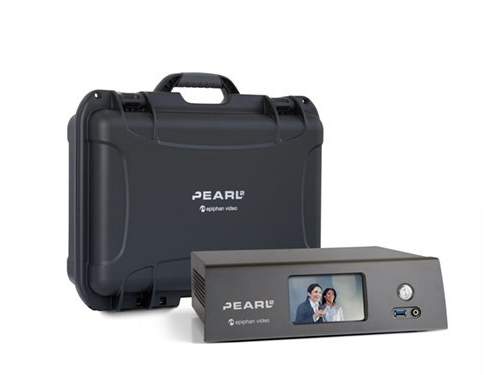
Over the past few weeks, we’ve been discussing some of the hardware we use to stream content on the road. This week, is the last big piece in our toolkit, the Epiphan Pearl 2 Streaming Encoder.

Six Lanes of Video

The Pearl 2 is what we use when we need to stream more than one camera to a remote location. It can encode and stream up to six devices from a variety of sources (HDMI, USB or a network camera). This means that if there are several discussions/deliberations/sessions going on at once, we can have a camera in each and send them out. Or we can have multiple camera angles of a single room, capturing different participants or other events that might be happening in that space.

What makes the Pearl 2 truly special is that we do not need to decide which of its streams to send out. It sends them all. Each of the six feeds are simply channels that can be switched between at your clients’ needs and watched simultaneously. On site, we will often dedicate a monitor to each camera feed, allowing everyone in the client viewing room to see what is going on everywhere. With the Pearl 2, we take that experience wherever your clients might be.

Secure Service

One of the dangers of streaming is that someone other than your clients might find a way to watch the feed. The Pearl 2 is more than a video encoder, it is also a secure server for the feed. We provide you with a link and password for the device that is good for that session. You provide those to whomever needs it on your end and everybody is good to go.

Well, almost. What this device does not include is the actual network. Unlike the Live U, it needs a network to connect to as it does not have any built-in cellular modems. To mix up the highway metaphor a bit, it is a large semi hauling up to six trailers, but it still needs access to the roads. That is where the Mushroom Portabella comes in. But we’ll discuss how all of these devices work together next week.

Flexibility

Keep in mind, all of these devices allows Record My Research to give you flexibility when discussing options with your clients. Break out rooms and different camera angles are all part of our experience, whether locally viewed or streamed. Of course, if all they want is a single camera to a local viewing room, then we are perfectly happy to do that. But we can do more. Whatever you and your clients need.

Internet Four Wheel Drive

Portabella 4000i

We’re going to continue looking at some of the solutions that Record My Research offers to our clients looking to do remote research. This week, the Mushroom Networks Portabella 4000i is on the stand.

More Than Four Wheel Drive

The Portabella is a cellular modem, but saying that is a bit like calling a Acura NSX 4-Motor EV just another car. Sure, it connects to the closest cellular tower, be it 3G or 4G, and delivers internet access, but like the Acura, it uses four independent cellular connections, combines them, manages them intelligently and outputs the fastest and most consistent cellular access available in the area. Like the 4 independent motors in the Acura, to tie down the simile.

Streaming More Than One Camera

Like all of the tech that we’ve discussed, the Portabella is the answer to a problem that we’ve encountered on the road. In this case, it is the unreliable nature of venue internet connections.

No matter what kind of event we are recording, from conferences, mock trials, focus groups or even (comparatively) simple dispositions, some form of network connectivity is required. At the very least, we are sending updates to our home office in Albuquerque and to our clients as to what is going on. Usually, this is also coupled with a video stream of the proceedings.

For a single camera setup, the Live U we discussed in an earlier post, is enough. That has a video encoder and cellular modem in a single package. But it will not work for two or more feeds. That’s where the Portabella comes in, along with a multi-camera video encoder.

Keep in mind, that we store and stream the individual feeds from each camera involved in the event. If we have one focused on the jury box, another on the prosecuting table and a final one on the defendant table, then we send all three out at once. More importantly, multiple live streams for the deliberation rooms. We do not attempt to do a live edit of the feeds; inevitably something gets lost or cut too soon. Streaming everything lets our clients decide what they want to look at when they want to look at it, instantly. In real time and independent from what others are watching on the streams.

Part Of The Kit

We bring the Portabella along on any trip that involves multiple cameras. It sits in our protective cases next to a multi-camera streaming video encoder. If our client isn’t interested in a steaming feed or the location internet connection is good, then we don’t fire it up. But it is a back up that we’ve learned we need.

LiveU Solo Streaming Encoder

Traveling Show

Doing monitored human subject research on the road presents a myriad of challenges, not least of which is the actual monitoring. Who is going to be watching from where? How is that going to be set up in a place that is not designed with one-way mirrors and the other niceties of a purpose-built focus group facility.

Our standard package includes a closed circuit feed from the research room to large format monitors in a second room in the same building. But what if your clients can’t get to that building in the first place? Things like travel difficulties, scheduling difficulties or budgets mean that not everyone who should be watching the interactions can get to the site. That’s where some of our more specialized equipment, like the LiveU Solo, come into play.

Where do you want the client room?

With the LiveU Solo encoder, we can stream the sessions from wherever they are taking place to wherever you and your clients need to be. Are they sitting in an airport waiting for a delayed flight? They can watch it on their smartphone. Are they tied to their desk? They can watch it on the office PC. Of course, if they are there on site, then they can watch it on the screens we provide. This streaming service is something we offer on top of our standard package.

The streaming is done via YouTube. While the LiveU Solo offers other platforms, we’ve found that a password locked stream from YouTube provides a great combination of security and user friendliness. The stream itself only exists during the event. Afterwards, we offer our recordings, but the stream itself is shut down. We do this to ensure that no one who is not supposed to can watch the event after the fact. Of course, we have our several redundant recordings which you will be able to share with your clients as you see fit.

One of the other reasons that we like this piece is its network flexibility. Not only can it be connected to an onsite network, either wired or wireless, but it can also use USB cellular modems in case the facility network is not the greatest. It helps us to maintain the redundancy the we strive for.

Client Options

The LiveU Solo is only one of the streaming options that we have at our disposal. We’ll be talking about some of the others during the coming weeks and then recap all of them with pros and cons. But all of them allow you to offer your clients more options. Sure, having us stream the event costs more (if you are interested, reach out on our contact page), but that cost is usually much less than a single person’s travel to the event.

Let your clients know that together, you and Record My Research, can offer them options that let them get the input that they want, when and where they need to be.

The Learning Curve, Part 1

One of the core competencies we pride ourselves on at Record My Research is our experience. Experience often learned through client requests, through research into what others have done and, more than occasionally, through the school of hard knocks.

But to say ‘we have experience’ on a web page and ask you to trust us with your business is not enough. With that in mind, we will be writing an occasional series in this blog that highlights some of the specifics that we have learned while working with clients to record their research. Of course, we’ll keep the names out and locations a bit vague to protect the confidentiality of our clients.

Carry-on

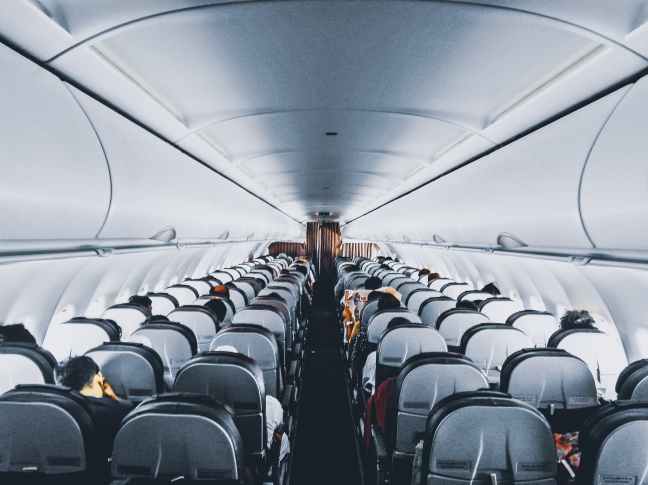
We travel for most of our events which means packing our equipment and taking it with us on airplanes. And it is enough equipment that it won’t all fit in carry-on. Or technicians always keep core, vital equipment in carry-on: the main video camera, a back up camera, an audio recorder, microphones, backup microphones, video recorders and amplifiers and enough cable to get the closed-circuit feed working. And a dress shirt or logo’d polo, depending on the client. Equipment that can usually be rented or purchased on site (if we have to) is checked: more cables, additional amplifiers and such.

One client had a job that required travel through Boston Logan airport to a small regional airport in northern New England. Everything worked the way that it was supposed to on the way out. Challenges happened on the way back.

Arriving into Logan, our tech discovered that his connecting flights had been cancelled. He was given an option of staying the night and getting a flight the next day or getting the last seat on the last flight that night which left in thirty minutes. From a different terminal. Which, at Logan, means going back through a TSA checkpoint.

He arrived at the gate, out of breath lugging his backpack and carry-on as they were getting ready to close up. Then he was told that there was no more overhead bin space. He needed to check the carry-on with all of the key equipment. And all of the recordings of the event.

Of course they lost the luggage.

Eventually, the airline found the luggage and got us back our equipment and recordings. But, there was approximately thirty-six hours where we did not have any of the event recordings and no idea if we would ever get them back.

Key Learning

As a result of this chain of events, we now ask our technicians to carry one copy of the event recordings on their person; usually an SD Card in a pocket. On occasion, we have also FedEx’d a copy back from an event if it looks like there will be travel problems or other issues.

This particular disruption happened on the way back from an event. We’ve been fortunate, so far, that something like this has not happened on the way to one. But that does not mean we don’t plan for it. We keep an eye on travel delays and, if it looks bad, will ship additional gear in advance. This adds its own set of complexities (shipping delays, lost shipments, tracking down the shipment on the other end), but if that is what it takes, we’ll do it.

Research Anywhere

Setting up research sessions around interviewing other people is not easy, whether it be a Focus Group to get qualitative reactions, a Mock Trial to try out different arguments or even something as simple as a Deposition.  There are subjects to book, incentives to acquire, rules to follow to validate the results.  And all of that assumes that you already have a venue in which to host it.

But some research needs to be conducted on location.  Either there is a particular geographic market to cover or, in the case of Mock Trials, you need to ensure that your sample subjects correctly model the likely jurors.  Now, not only do you need to find a conference room or other facility, you need to get it setup to properly monitor the research and record the results.

That’s where Record My Research comes in.  We have the tools to make nearly any venue into a research facility.  No, we are not going to cut a wall out and install a one-way mirror for a focus group.  But we can setup a video feed to another room, whether it is in the same building as the research being conducted or across town… or in another town.

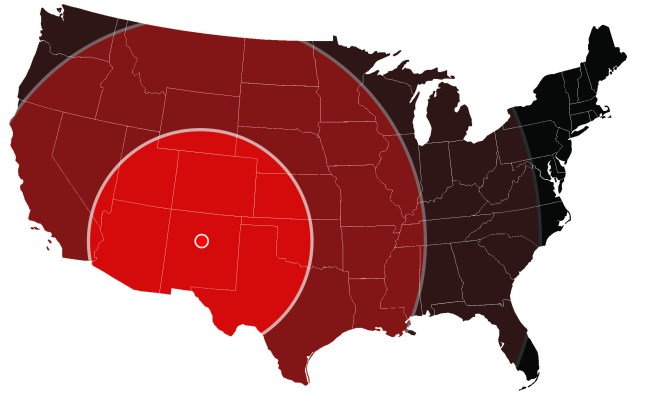
Let us know what you need and we’ll make it happen.  Anywhere in the continental US.